

Discover the most intriguing new features in WordPress 6.9! This version is packed with useful improvements for developers and artists, including real-time collaboration in Block Notes, similar to Google Docs, as well as the highly anticipated native Accordion block and robust frontend visibility controls.
The wait is finally over. WordPress 6.9 has finally arrived, offering a fundamental transformation in how we construct, edit, and collaborate on websites. For many years, WordPress was a largely solitary process, with one person authoring, one person editing, and everyone else interacting via email, Slack, or lengthy feedback loops.
For years, WordPress was primarily a solo journey, one person writing, one person editing, often communicating via Slack or email. With this release, WordPress transforms into a truly collaborative platform.
But it’s not just about teamwork. With highly requested features like the native Accordion block and the ability to hide blocks without deleting them, WordPress 6.9 is a massive quality-of-life update for developers and content creators alike.
Let’s dive into everything new in WordPress 6.9.
1. The “Notes” Feature: Collaboration Comes to the Block Editor
If you use Google Docs, you know how useful “Comments” are. You highlight text, leave a note, and your editor replies. WordPress 6.9 brings this exact workflow directly into your dashboard.
This is the flagship feature of Gutenberg Phase 3.
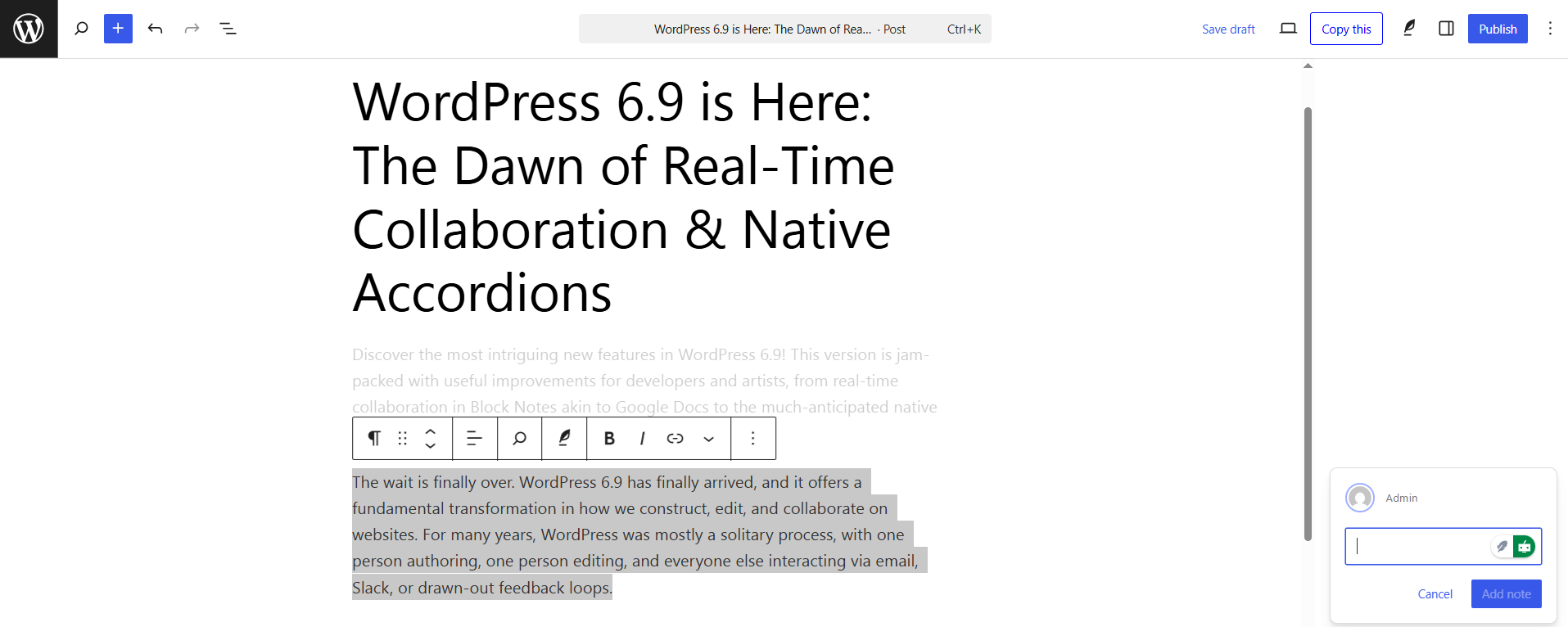
How Block Notes Work
You can now leave comments on specific blocks. Whether it’s a paragraph, an image, or a headline, you can tag team members to ask for feedback, suggest changes, or leave reminders.
- No more external tools: Stop switching between Trello, Slack, and WordPress.
- Contextual feedback: Comments stay attached to the specific block, so you know exactly what needs fixing.
- Status updates: You can resolve notes once the task is done, keeping your editorial workflow clean.
2. Hide Blocks Without Deleting Them
Have you ever created a beautiful Christmas sale banner, only to delete it in January and then have to rebuild it next December?
WordPress 6.9 solves this with the new Block Visibility toggle.
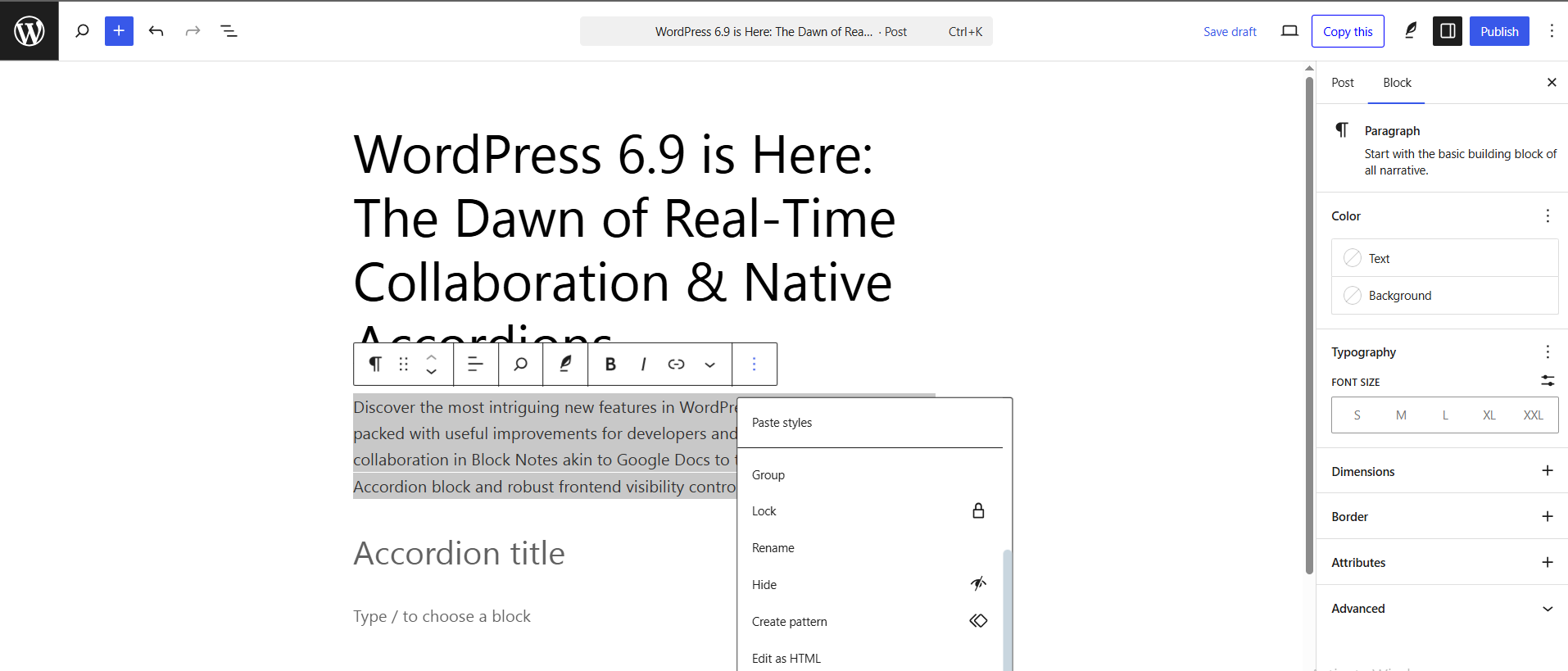
You can now toggle a setting in the block sidebar to hide a block on the frontend while keeping it visible and editable in the backend editor.
Best Use Cases:
- Seasonal Content: Keep holiday banners saved on the page, just hidden until next year.
- Staging Content: Draft a new section of your homepage live without showing it to visitors until it’s perfect.
- Stock Management: Temporarily hide “Out of Stock” notices without removing the layout.
3. New Blocks You’ve Been Waiting For
This update introduces new core blocks that will likely help you delete a few third-party plugins.
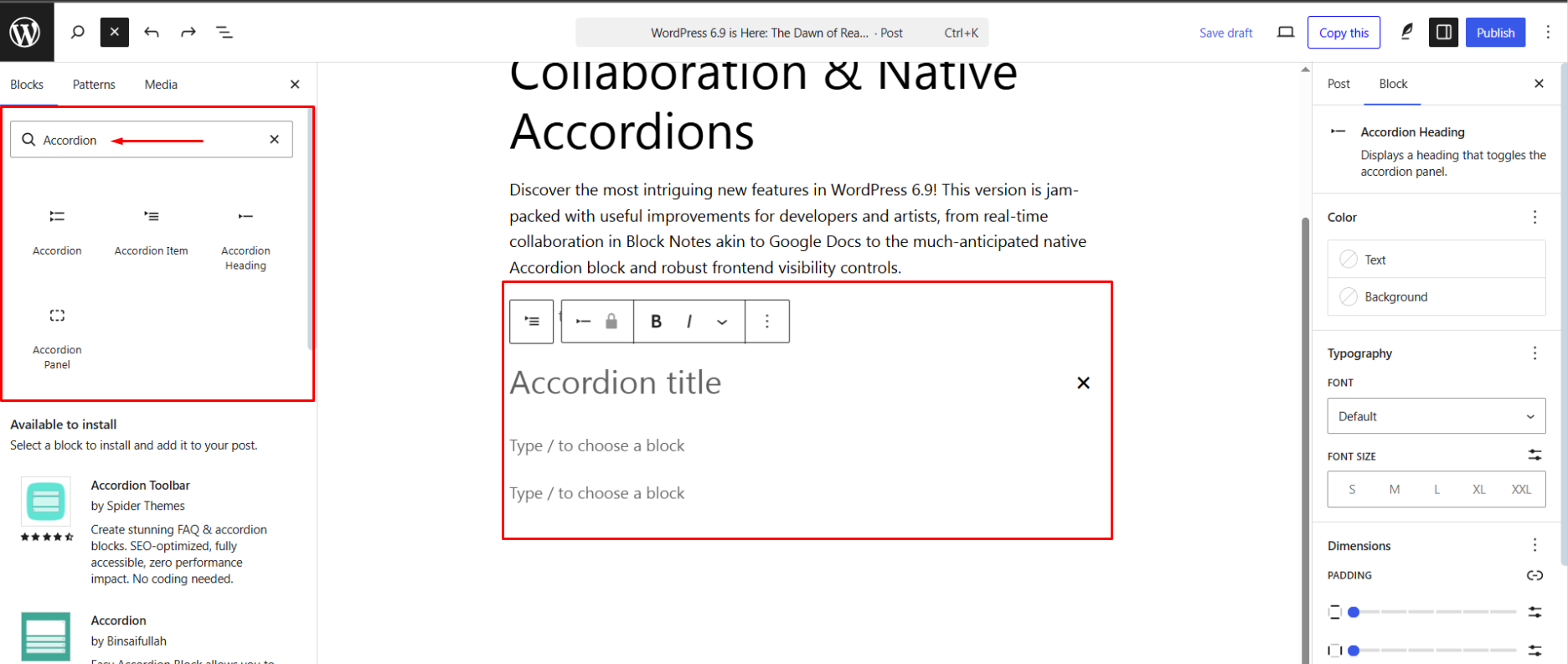
The Native Accordion Block
Finally! For years, users had to install plugins just to create a simple FAQ section. WordPress 6.9 introduces a lightweight, accessible, and fully customizable Accordion Block.
- SEO Friendly:Uses proper HTML semantic tags <details> and <summary>.
- Customizable: Style the icons, spacing, and colors directly from the editor.
Math Block
Perfect for educational websites, the Math block allows you to write mathematical equations using LaTeX notation, rendering them beautifully on the frontend.
Time-to-Read Block
A simple but effective block that automatically calculates and displays the estimated reading time of a post. Great for improving user engagement on long-form articles.
4. A Modern Admin Experience: Data Views
The WordPress dashboard is getting a facelift. In version 6.9, the way you manage Pages and Posts has been reimagined with Data Views.
Instead of the old, static list table, you now get a dynamic interface that feels more like a modern app.
- Quick Filtering: Filter posts by author, status, or category instantly.
- Layout Options: View your pages in a list or a grid layout (great for seeing featured images).
- Inline Editing: Make quick changes to statuses or titles without opening the full editor.
5. Performance and Developer Updates
WordPress 6.9 continues the mission to make the web faster.
- Bfcache Support: “Back/forward cache” improvements mean that when users hit the ‘Back’ button on their browser, your page loads instantly from memory rather than reloading from the server.
- Abilities API: A new feature for developers that helps standardise how AI tools and plugins interact with WordPress capabilities.
- Interactivity API: Enhanced support for creating app-like experiences (like instant search or filtering) without page reloads.
Why You Should Update to WordPress 6.9 Right Away
WordPress 6.9 is not simply an incremental release; it’s a foundational change for the future of online construction and collaboration. To stay competitive, optimise your team’s productivity, and exploit native features like the Accordion block, this upgrade is a must-install.
This update greatly improves speed and sets the basis for future AI integrations, making your website quicker and smarter. By upgrading immediately, you are ensuring your site is built on the most secure and forward-compatible basis.
Proactive Update Checklist:
- Backup First: Always create a full site backup before starting any major update.
- Test in Staging: Test WordPress 6.9 on a staging environment to ensure all your existing themes and plugins are fully compatible.
- Enjoy the Speed: Once updated, enjoy the performance gains and the streamlined content creation process.
Conclusion: Embrace the Future of WordPress
WordPress 6.9 is truly a landmark release. It’s more than just a list of new features; it represents WordPress evolving into the ultimate platform for modern, team-based web development. By adopting 6.9, you’re not just getting faster performance and native blocks; you’re unlocking unparalleled collaborative potential. This update empowers every user, from solo creators streamlining their seasonal content with the visibility toggle to large teams achieving seamless co-editing using Block Notes. It secures your site’s place at the cutting edge of digital excellence.
